
Application Development
A VEE Wear application is a MicroEJ Feature: a binary module that the Kernel installs, starts, stops, and uninstalls. The Companion App sends applications to the watch over Bluetooth, and the Kernel installs them while the watch runs.
Creating an App
In the
dependenciesblock of thebuild.gradle.ktsfile, add the Wear Services library:implementation("com.microej.library.wear:wear-services:2.0.0")
Optionally, add the Wear Util library:
implementation("com.microej.library.wear:wear-util:2.0.0")
An application can use any library, if the Kernel provides all the Foundation Libraries that this library needs.
Implementing the Entry Point
The entry point class implements FeatureEntryPoint.
The Kernel calls its start() method when it starts the application, and its stop() method when it stops it.
Declare the entry point class in the build.gradle.kts file.
The entry point registers the components of the application. It can also add Bluetooth services or schedule timer tasks. It does not show a page: the activities and watchfaces do.
public class HelloWorldAppEntryPoint implements FeatureEntryPoint {

   @Override
   public void start() {
      KernelServiceProvider.getComponentService().registerActivity(new HelloWorldActivity());
   }

   @Override
   public void stop() {
      // do nothing
   }
}
Implementing an Activity
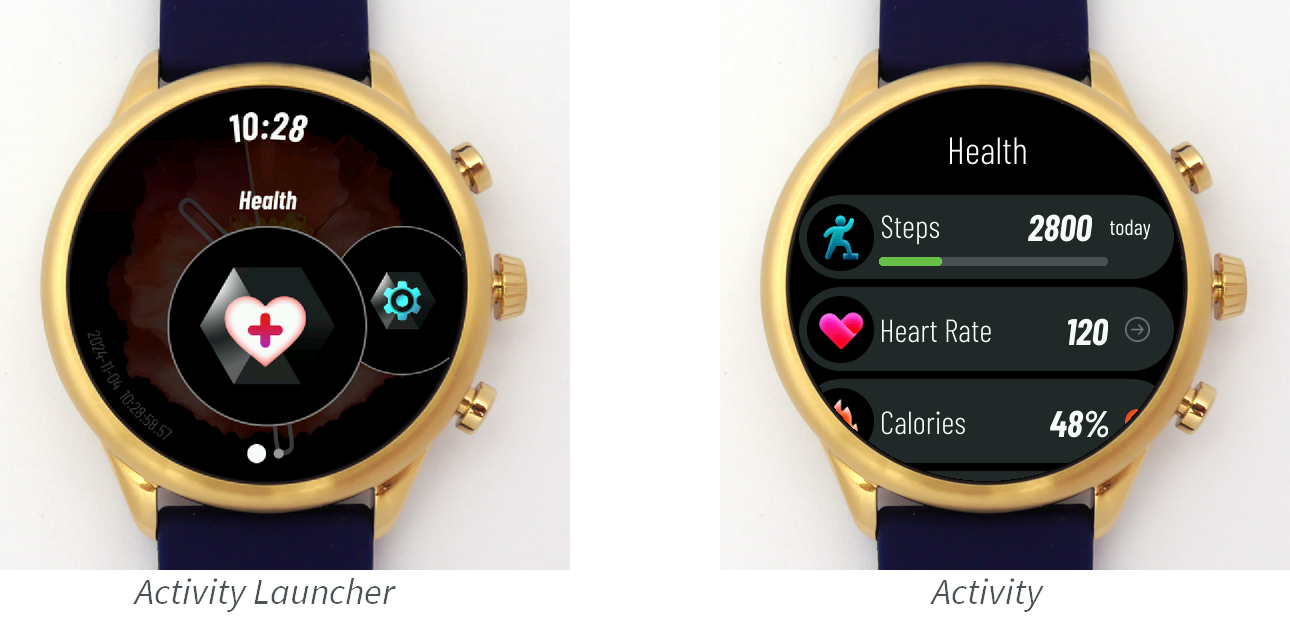
An activity shows a page for one feature of the watch. The activity launcher lists the activities:
Implement the Activity interface:
getName()returns the name shown in the activity launcher.renderIcon()draws the icon shown in the activity launcher.onIconAttached()andonIconDetached()load and release the resources of the icon.createRenderable()returns the Renderable that draws the activity. The Kernel calls it when it is about to draw the activity, then callsonAttached()on the renderable.
Register the activity with ComponentService.registerActivity().
Implementing a Watchface
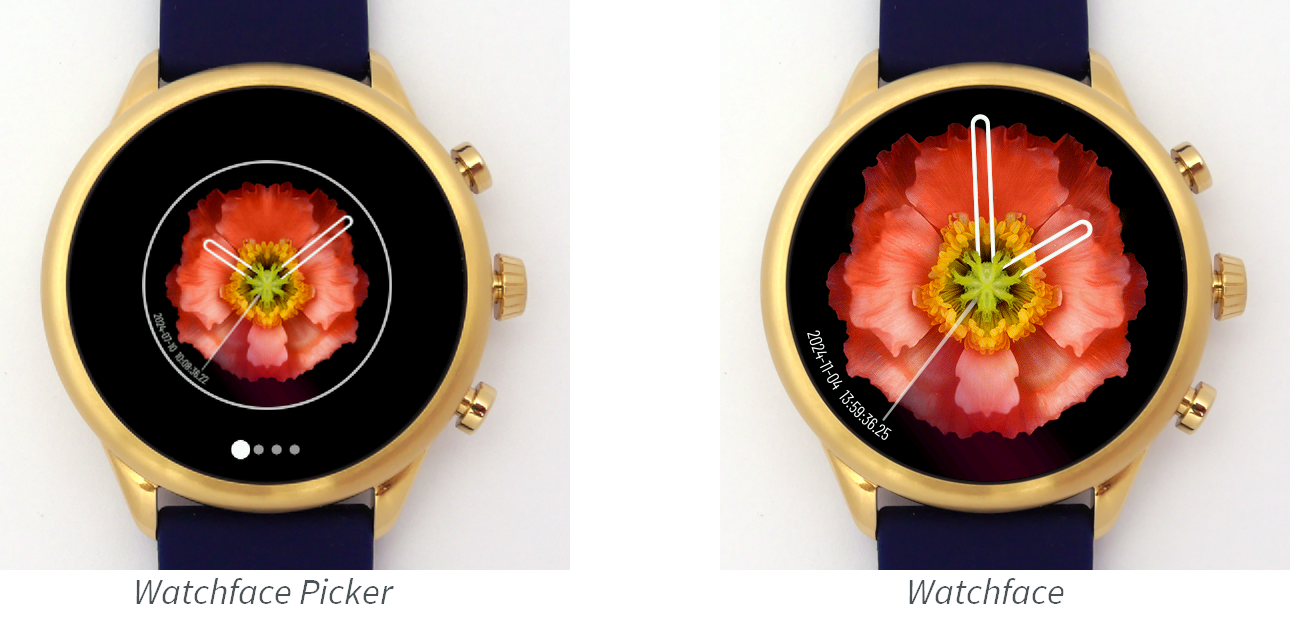
A watchface shows the time and other data. The watchface picker lists the watchfaces:
Implement the Watchface interface:
renderPreview()draws the preview shown in the watchface picker.onPreviewAttached()andonPreviewDetached()load and release the resources of the preview.createRenderable()returns the Renderable that draws the watchface. To show complications, the renderable gets the data sources withComponentService.getComplicationDataSources().
Register the watchface with ComponentService.registerWatchface().
Implementing a Renderable
A renderable draws a page. The Kernel draws it on a graphics context during a transition, and shows it in fullscreen when the transition ends.
Implement the Renderable interface:
onAttached()loads the resources of the page.onDetached()releases these resources.render()draws the page on the given graphics context. It applies the translation and the clip set in the graphics context, and does not reset them.showOnDisplay()shows a Displayable that draws the page in fullscreen and handles the events. When the displayable is shown, it can start animations. When another displayable replaces it, it can stop them and release its resources.
The Wear Util library provides two implementations:
RenderableDesktopuses an MWT Desktop. Use it for pages with widgets and scrolling.RenderableDisplayableuses a Displayable. Use it for simple pages, or to use less memory.
Implementing a Complication Data Source
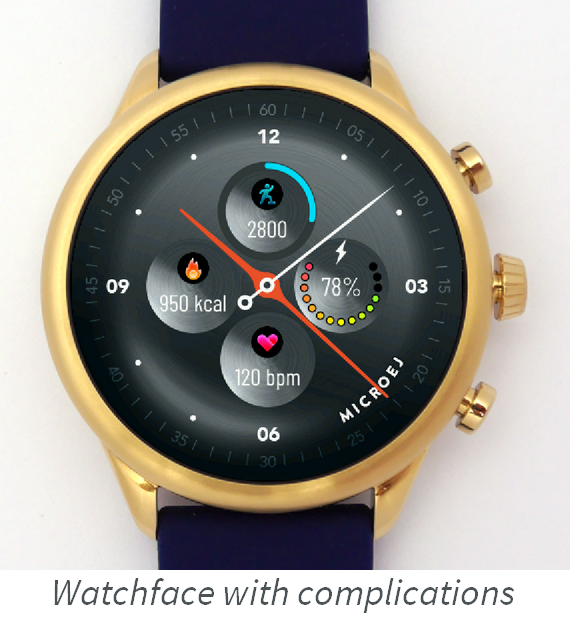
A complication data source gives data that any watchface can show: a text, an icon, and a progress value. Each watchface draws the complication in its own style.
Implement the ComplicationDataSource interface:
hasText(),hasIcon(), andhasProgress()tell which data the source gives.getText()returns the text, andgetProgress()returns the progress, from 0.0 to 1.0.renderIcon()draws the icon in the given region.getText(),getProgress(), andrenderIcon()throw anIllegalStateExceptionwhen the source does not give this data.onIconAttached()andonIconDetached()load and release the resources of the icon.
Register the source with ComponentService.registerComplicationDataSource().
Building an App
An application is built against the Wear Kernel of the target device.
Add the Kernel as a VEE dependency in the build.gradle.kts file.
For the Actions ATS3085S reference target:
microejVee("com.microej.app.wear.ats3085s:wear-kernel:2.0.3")
Use a Kernel version that implements the Wear Services version of the application. For the other ways to select a Kernel, see Select a VEE Port.
Then use the Gradle tasks:
runOnSimulatorruns the application on the Simulator. The Kernel Mock simulates the sensor data and the Bluetooth connection to the Companion App.buildFeaturebuilds the Feature filebuild/application/feature/application.fo. Send this file to the watch with the Companion App.