
MicroEJ Java H
Principle
This MicroEJ tool is useful for creating the skeleton of a C file, to
which some Java native implementation functions will later be written.
This tool helps prevent misses of some #include files, and helps
ensure that function signatures are correct.
Functional Description
MicroEJ Java H tool takes as input one or several Java class files (*.class) from directories and / or JAR files. It looks for Java native methods declared in these class files, and generates a skeleton(s) of the C file(s).
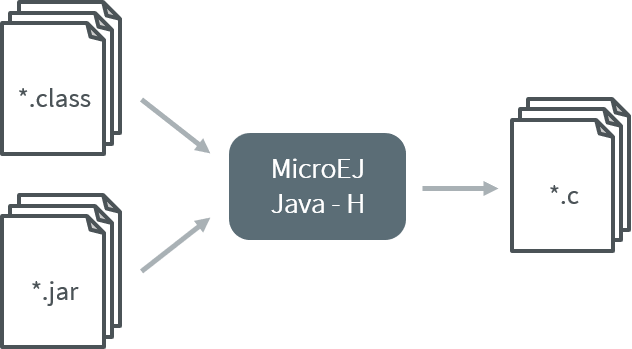
MicroEJ Java H Process
Dependencies
No dependency.
Installation
In SDK 6, the MicroEJ Java H tool is enabled by default. It can be disabled in the VEE Port configuration file, by adding the following property:
com.microej.runtime.extensible.MicroEJavah.enabled=false
This is an additional tool. In the VEE Port configuration file, check Java to C Interface > MicroEJ Java H to install the tool.
Use
This chapter explains the MicroEJ tool options.
MicroEJ Java H Tool (SDK 6)
In SDK 6, the MicroEJ Java H tool is executed using the Gradle execTool task.
Run the following command from a project containing microejVee() dependency.
./gradlew execTool \
--name=ejavah \
--toolProperty=ejavah.natives.path="<absolute-path-to-classes>\classes;<absolute-path-to-jar>\mylib.jar"
--name=ejavah: Specifies the MicroEJ Java H tool.ejavah.natives.path: Defines the Java classpath to scan for native methods. It can contain directories with.classfiles, or paths to.jarfiles. Entries must be separated using the system-dependent path-separator character as defined inFile.pathSeparator. Usualy;on Windows and:on Linux.
Generated .h header files are located in: build\output\include
When the execution is successful, the following type of log is displayed:
Info: com.microej.Main will not be generated as C SNI because it does not contain any native
Info: com.microej.package-info will not be generated as C SNI because it does not contain any native
Info: com_microej_NativeExample.h successfully generated in build\output